
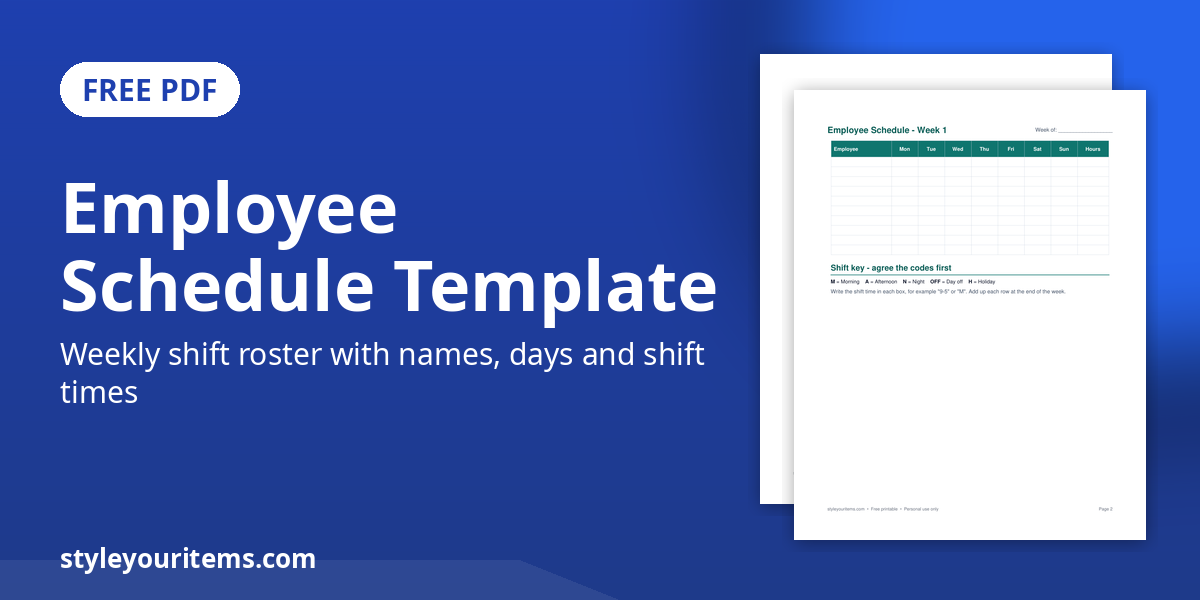
A small team does not need scheduling software. It needs one sheet of paper on the wall where everyone can see who is working when. That is what this free printable employee schedule template PDF is: a plain weekly roster grid with employee names down the side and the days of the week across the top. Write the shift times in the boxes, add up the hours at the end of each row, and the whole week is settled in five minutes. It is made for small teams and shops, cafes, salons, clinics, and any workplace where the rota is still done by hand.
The PDF has 5 pages. Page 1 is the cover. Pages 2 to 5 are four weekly rosters, one for each week of the month. Every roster has ten employee rows and columns for Monday to Sunday, plus a “Hours” column for the weekly total. Each roster also has a shift key at the bottom, with codes for Morning, Afternoon, Night, Day off, and Holiday. Print on Letter or A4, at 100% (Actual size), and pin the current week where the team can see it.

What Is on Each Roster Page
| Part of the page | What it is for |
|---|---|
| Week of line | Write the Monday date of the week, so an old roster is never mistaken for the current one. |
| Employee column | Ten rows for names. Write surnames as well if two people share a first name. |
| Monday to Sunday columns | One box per person per day. Write the shift time, like 9-5, or a shift code from the key. |
| Hours column | The total hours for that person that week. Add it up on Friday so overtime is visible. |
| Shift key | M is Morning, A is Afternoon, N is Night, OFF is Day off, H is Holiday. Agree the codes first. |
How to Fill In a Week in Five Minutes
- Write the names first, in the same order every week. Keep the same order on every roster, so each person can find their row at a glance. Put full-timers at the top and part-timers below them.
- Block out the days off before you add the shifts. Write OFF for holidays and days off first. It is much easier to fill the gaps than to move shifts around later.
- Fill the busy days first. Cover Friday, Saturday, and your busiest weekday before the quiet days. If a day is short, you will see it while there is still time to ask someone to swap.
- Write times, not just codes, for split shifts. A code like M is fine for a fixed shift, but a split shift needs the hours written out, like 9-1 and 5-9, or someone will read it wrong.
- Add up the Hours column and check it twice. Two people should agree the totals: the person who wrote the rota and the person who runs payroll. A wrong total here becomes a wrong payslip later, so the second check is worth the minute it takes.
Shift Codes That Keep Everyone Honest
- Agree the codes before the first roster. Print the key, pin it next to the roster, and do not change the codes mid-month. A code that means two things is worse than no code at all.
- Use OFF for days off and H for holidays. They look similar on a busy rota, but they pay differently, so keeping them apart matters for payroll.
- Write changes on the roster, not on a sticky note. When a shift swaps, cross out the old time, write the new one, and initial it. A rota with a clear paper trail ends arguments about who agreed to what.
- Keep the finished rosters. Four weeks to a set, and a set a month, gives you a full year of rosters in a folder. If a pay question comes up months later, the answer is in the folder.
One common mistake is writing the rota in pencil and then rubbing it out when plans change, until nobody can read it. Use a pen for the rota itself, and keep a pencil copy only for the draft. The free printable timesheet template pairs well with this roster, because staff can log the hours they actually worked against the hours the roster planned. For planning meetings about the rota, the free printable meeting agenda template keeps the discussion to one page, and the free printable shift work planner gives night and rotating shift workers a personal weekly spread of their own.
Questions People Ask Before They Print
Is the PDF really free?
Yes. The PDF is completely free, with no sign-up, no email address, and no account needed.
How many employees fit on one roster?
Ten names per week. If your team is bigger, print two copies and split the team across them, or split by department.
Does it work for rotating shifts?
Yes. Write the shift code in each box, and the pattern of a rotation shows up across the weeks. For a personal copy, each worker can also use a shift work planner to track their own rotation.
Can I use it for a cafe or a shop?
Yes. It was made for small teams like cafes, shops, salons, and clinics, where the rota is drawn up by the manager each week.
Does it print on A4 as well as Letter?
Yes. The PDF is designed for both US Letter and A4 paper, at 100% (Actual size).
Details
- Format: free PDF download
- Paper size: US Letter and A4
- Pages: 5 – 1 cover page + 4 weekly rosters (10 employee rows each, Monday to Sunday, Hours column, shift key)
- Cost: free – no sign-up, no email, and no account needed
- Print as many copies as you like, for personal use
More Free Printables
Looking for more free printables? Browse the full Career & Business collection, or try these popular downloads:


