

Students face mounting academic pressures and tight budgets, making free technological solutions essential for modern education. Artificial intelligence agents streamline research, draft papers, and organize study schedules without requiring a paid subscription. Selecting the right tools prevents wasted time and helps learners maximize their academic output. Multiple platforms offer powerful capabilities at zero cost, provided students understand their specific strengths and limitations.
Essential Criteria For Selecting Student AI Agents
Choosing the right student AI agent requires evaluating core performance metrics. Free tiers often restrict usage, making feature efficiency paramount for academic success. Students must assess integration capabilities, speed, and accuracy before committing to a specific platform.
Accuracy and citation reliability stand out as primary requirements for research tasks. Many general models hallucinate facts or invent sources, leading to severe academic penalties. Reliable student AI agents must process real-time web data and provide verifiable references for every claim.
Ease of use and interface accessibility also dictate student adoption rates. Complex programming interfaces hinder learning, whereas natural language processing platforms accelerate workflow integration. Zero-budget learners benefit most from tools that require minimal setup and offer immediate utility.
Financial constraints force scholars to look beyond enterprise solutions. Educational institutions rarely provide premium accounts for every enrolled student. Learners must rely on community-supported tiers and freemium models that offer robust functionality without hidden charges.
Hardware limitations also dictate software choices. Many students rely on aging laptops or mobile devices rather than high-end workstations. Cloud-based agents offload heavy processing tasks to remote servers, enabling seamless performance on modest hardware configurations.
1. ChatGPT Free Tier For Research And Writing Assistance
OpenAI provides free access to foundational models that assist with drafting essays and brainstorming research topics. Students use this interface to break down complex scientific concepts into digestible summaries. The system acts as a conversational partner, refining thesis statements and organizing outlines.
Custom instructions within the free tier allow users to tailor responses to specific academic styles. Learners can paste rough notes and request structured paragraphs for literature reviews. This capability reduces writing anxiety and accelerates the initial drafting phase.
Key Features And Capabilities Of ChatGPT
Real-time web browsing allows the free tier to retrieve up-to-date information for current events essays. Code interpretation features help STEM students debug basic programming assignments and analyze dataset spreadsheets.
Custom GPTs created by the community offer specialized study aids for specific subjects like organic chemistry or calculus. These targeted agents provide focused practice questions and step-by-step problem explanations.
Brainstorming sessions become productive when students use iterative prompting techniques. The model suggests alternative angles for controversial thesis statements, ensuring comprehensive coverage of complex historical or sociological debates.
Limitations And Free Tier Restrictions Of ChatGPT
Usage caps on advanced models interrupt long study sessions during peak hours. The system reverts to standard processing speeds and simpler architectures once the rolling quota expires.
Data privacy policies permit model training on user inputs unless explicitly disabled in settings. Students must avoid pasting unpublished research or sensitive personal data into the prompt box.
Output consistency varies depending on server traffic volume. Students working late at night often experience longer response generation times and unexpected error messages.
2. Claude Free Plan For Long-Form Document Analysis
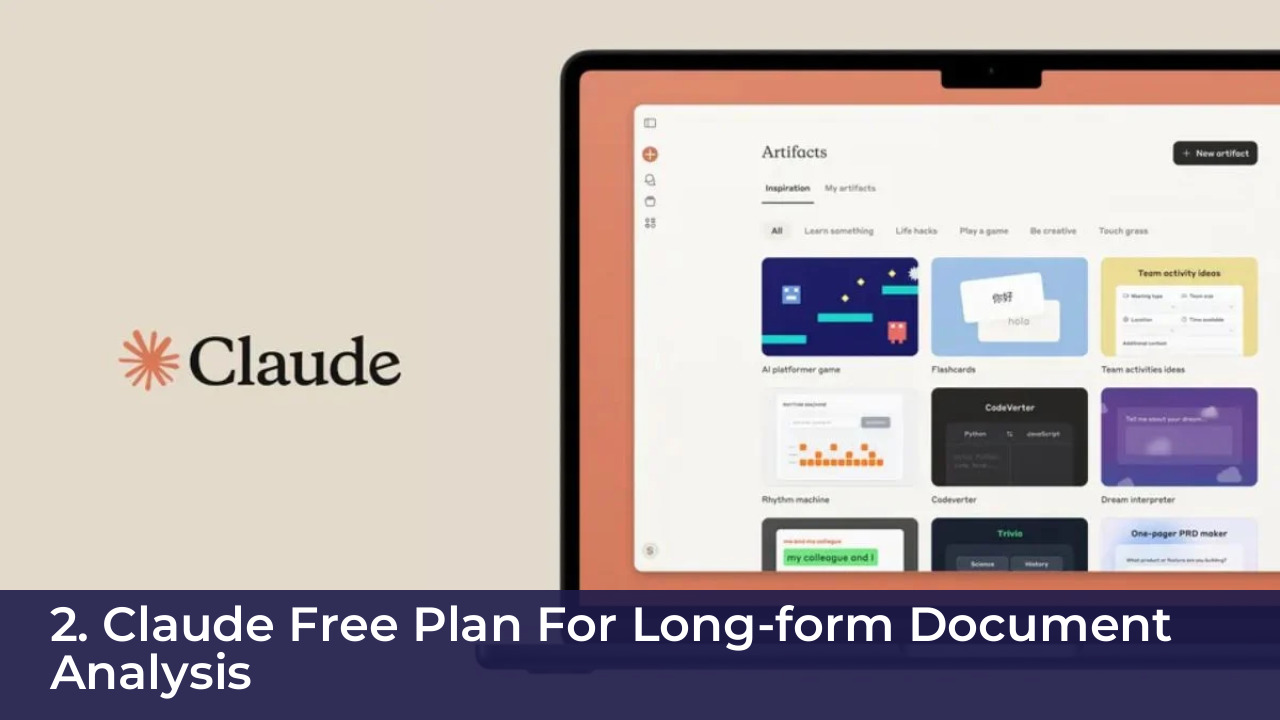
Anthropic offers a generous context window in its free tier, making it ideal for processing lengthy academic PDFs. Students upload entire textbook chapters or research papers to extract key findings instantly. The model reads dense scholarly articles and synthesizes the core arguments accurately.
Handling massive text inputs distinguishes this platform from standard chat interfaces. Learners can paste multiple source documents simultaneously and ask the agent to compare methodologies. This feature saves hours of manual skimming during literature review phases.
Key Features And Capabilities Of Claude
The massive context window accommodates up to one hundred thousand tokens of text in a single prompt. Artifacts mode allows users to view, edit, and export generated code or essays in a dedicated side panel.
Nuanced tone analysis helps students polish their academic voice and eliminate colloquial phrasing. The system maintains context across extended conversations without losing track of earlier instructions.
Scholarly formatting requests yield clean Markdown outputs that paste directly into word processors. Students appreciate the clean typography and minimal markdown syntax errors produced by the interface.
Limitations And Free Tier Restrictions Of Claude
Message limits reset on a fixed hourly schedule, which can halt urgent assignment completion. Free users lose access to peak performance models when server demand spikes globally.
The platform lacks native real-time web search capabilities in the base plan. Students must provide their own reference texts rather than relying on the agent to scrape external databases.
File upload restrictions limit the total number of simultaneous documents per session. Users must combine smaller notes into single files before uploading them to the chat interface.
3. Microsoft Copilot For Web Research And Citations
Integrated search infrastructure makes Microsoft Copilot a powerful ally for academic fact-checking. The platform pulls data directly from the internet and includes inline citations for every assertion. Students verify sources instantly by clicking the provided reference links.
Office application integration streamlines the transition from research to final document formatting. Users draft essays within web browsers and export content directly to word processors. This seamless workflow reduces friction during the final stages of assignment preparation.
Key Features And Capabilities Of Microsoft Copilot
Direct access to advanced underlying models ensures high-quality reasoning without subscription fees. Integrated image generation helps visual learners create diagrams and concept maps for presentations.
The platform summarizes lengthy YouTube educational videos by processing the transcript directly. Students extract key lecture notes without watching hours of recorded footage.
News aggregation functions assist political science and journalism majors in tracking ongoing global events. The agent groups breaking stories by theme and identifies primary source origins quickly.
Limitations And Free Tier Restrictions Of Microsoft Copilot
Aggressive chat length restrictions force users to start new sessions frequently during deep research tasks. The interface displays frequent promotional nudges to upgrade to paid enterprise tiers.
Formatting consistency varies when exporting complex tables and reference lists to external software. Students must manually verify all generated bibliography entries against official style guides.
Context retention degrades during prolonged brainstorming sessions, requiring users to restate premises frequently. This memory limitation hampers complex multi-step logical deductions.
4. Gemini Free Version For Multimodal Learning
Google provides a multimodal free tier that processes text, images, audio, and video inputs natively. Students photograph handwritten equations or textbook diagrams and ask the system for step-by-step solutions. This versatility supports visual and auditory learners across diverse academic disciplines.
Deep integration with the Google ecosystem allows seamless file sharing from cloud storage drives. Learners analyze spreadsheets, Google Docs, and slide presentations directly within the chat interface.
Key Features And Capabilities Of Gemini
Real-time audio processing enables natural voice conversations for practicing foreign language skills. Integration with Google Search grounds responses in verified web data, minimizing factual errors.
The massive context window handles long video files, allowing students to query recorded lectures. The agent identifies specific timestamps where instructors discuss core exam concepts.
Translation accuracy exceeds traditional dictionary tools by incorporating regional idioms and contemporary slang. Language learners use this feature to decode foreign academic journals.
Limitations And Free Tier Restrictions Of Gemini
Data retention settings require careful manual adjustment to protect user privacy. The model occasionally provides overly conversational responses that require prompting adjustments for academic rigor.
Exporting formatted citations remains less reliable compared to dedicated research assistants. Students must cross-reference all web-sourced claims independently.
Interface clutter can overwhelm users who prefer minimalist design layouts during intense study sessions.
5. Performer AI Agent For Automated Study Scheduling
Task automation tools like Performer help students organize erratic academic schedules and assignment deadlines. The agent analyzes syllabus documents, extracts due dates, and builds optimized study calendars. Learners input their available hours, and the system distributes workload evenly.
Proactive reminders and progress tracking keep procrastinators accountable throughout the semester. The platform adjusts schedules dynamically when unexpected events disrupt planned study blocks.
Key Features And Capabilities Of Performer
Syllabus parsing extracts assessment weightings and creates prioritized revision checklists automatically. Integration with popular calendar applications syncs study blocks across multiple devices.
Habit tracking algorithms identify peak productivity hours and schedule difficult subjects accordingly. The agent suggests regular break intervals to prevent mental burnout during exam preparation.
Goal-setting modules break intimidating capstone projects into manageable weekly milestones. Students avoid the psychological paralysis often associated with massive research papers.
Limitations And Free Tier Restrictions Of Performer
Advanced automation rules and team collaboration features remain locked behind paywalls. Free users manage a limited number of active course projects simultaneously.
External app integrations experience occasional syncing delays that require manual intervention. The interface lacks advanced customization options for complex extracurricular scheduling.
Notification fatigue occurs when default reminder settings trigger too many daily alerts on mobile devices.
Zero-Budget Optimization: Chaining Free AI Tools Without Paywalls
Smart students combine multiple free AI agents to bypass individual tool limitations. No single platform offers unlimited research, long-form document analysis, and task scheduling without cost. Building a modular workflow maximizes productivity while maintaining a zero-dollar budget.
Step one involves uploading lengthy research PDFs to Claude for initial summarization and thematic extraction. Step two shifts those summaries into ChatGPT or Gemini to draft structured essay outlines. Step three utilizes Microsoft Copilot to verify facts and generate accurate APA or MLA citations.
| AI Agent | Primary Academic Strength | Free Tier Limitation | Best Complementary Tool |
|---|---|---|---|
| ChatGPT | Essay drafting and outlining | Hourly message caps | Microsoft Copilot |
| Claude | Long-form PDF analysis | Strict message windows | ChatGPT |
| Microsoft Copilot | Web research and citations | Interface prompts | Claude |
| Gemini | Multimodal inputs and audio | Data privacy controls | Performer |
| Performer | Study scheduling and tasks | Limited active projects | Google Calendar |
Finally, export all deadlines and task lists into Performer or a basic calendar to manage time. This deliberate chaining technique ensures students leverage top-tier intelligence without encountering financial paywalls.
Establishing a personal routine around these tools requires consistent practice. Learners should document their successful prompt sequences in a shared digital notebook. Sharing effective workflows with peers fosters collaborative learning communities within academic departments.
Evaluating tool performance at the end of each semester prevents workflow stagnation. As free tiers update their underlying models, students must adapt their chaining strategies to leverage newly introduced features.
Data Privacy And Offline Capabilities For Student Research
Academic integrity requires strict protection of sensitive research data and unpublished survey results. Most free AI agents process inputs on remote cloud servers, utilizing user data for model training. Students handling proprietary research must adjust privacy settings to opt out of data sharing.
Offline capabilities remain severely limited among mainstream web-based AI agents. Learners conducting fieldwork in remote locations cannot rely on cloud-dependent models for data analysis. Downloading lightweight open-source models for local execution provides a secure alternative for sensitive information.
Local execution ensures that experimental data, interview transcripts, and personal notes never leave the local machine. Students with basic technical skills install open-source weights on personal laptops for complete data sovereignty. This approach eliminates third-party data harvesting risks entirely.
Institutional review boards mandate rigorous security protocols for human subject research. Students must verify that cloud platforms comply with relevant data protection regulations before uploading study transcripts. Ignorance of privacy terms can lead to severe institutional reprimands and research disqualification.
Encrypting local files before generating summaries adds an extra layer of security. Open-source desktop wrappers allow students to interact with local models securely without internet connectivity.
Ethical AI Boundaries And Preventing Academic Penalties
Over-reliance on artificial intelligence creates severe risks of plagiarism and academic dishonesty. Universities deploy sophisticated detection software to identify unoriginal or machine-generated prose. Students must use AI agents as collaborative tutors rather than ghostwriters for graded assignments.
Transparency remains the cornerstone of ethical AI usage in higher education. Learners should document their prompt history and acknowledge assistance in methodology sections when permitted. Relying on AI for ideation, outlining, and proofreading preserves personal authorship while improving efficiency.
Fact-checking every AI-generated claim prevents the propagation of false information and fabricated sources. Educational institutions punish academic dishonesty harshly, making independent verification non-negotiable. Mastering ethical boundaries ensures students reap technological benefits without compromising their academic standing.
Faculty workshops often provide explicit guidelines on permissible AI usage per course. Students must read syllabus statements carefully before incorporating automated tools into their writing routines. Misunderstanding policy boundaries does not excuse academic integrity violations.
Developing authentic voice requires active editing of all machine-assisted drafts. Students should inject personal reflections and unique analytical insights into every paragraph to ensure original expression.
Frequently Asked Questions
Can free AI agents completely replace human tutors?
Free AI agents provide immediate answers and structured explanations, but they lack emotional intelligence and contextual empathy. They serve as supplementary study aids rather than complete replacements for human educators or tutors.
Do free AI tools store student essays for training?
Most platforms utilize user inputs for model training by default. Students must navigate to settings and disable data sharing options to protect their unpublished academic work.
How do students prevent AI detection software penalties?
Students avoid penalties by using AI strictly for brainstorming, outlining, and grammar checks. Writing the final prose independently ensures authentic personal voice and originality.
What is the best free AI for reading large textbooks?
Claude offers the largest context window on its free plan, making it the superior choice for analyzing entire textbook chapters or multi-page research papers at once.
Are internet-connected AI agents reliable for academic citations?
Microsoft Copilot and Gemini provide direct web links, but links occasionally break or lead to unverified sources. Students must always cross-reference citations against academic databases like Google Scholar.
How can students use AI without spending any money?
Learners chain free tiers across different platforms, using Claude for reading, ChatGPT for drafting, and Microsoft Copilot for citations, avoiding subscription fees entirely.
What hardware is needed to run open-source models locally?
Local model execution requires a modern computer with a dedicated graphics card and sufficient memory. Students with standard laptops should rely on cloud agents for complex tasks.
Key Takeaways
- Free AI agents offer powerful research, drafting, and scheduling capabilities without financial investment.
- Chaining multiple free tools bypasses individual usage caps and feature limitations effectively.
- Data privacy settings require manual adjustment to prevent third-party training on sensitive research.
- Ethical boundaries protect students from plagiarism penalties by positioning AI as a tutor, not a ghostwriter.
- Independent verification of citations remains mandatory to ensure academic accuracy and avoid hallucinations.
Conclusion
Artificial intelligence transforms how students approach research, writing, and time management. Leveraging free tiers strategically provides a competitive edge without straining tight student budgets. By understanding the specific strengths of ChatGPT, Claude, Microsoft Copilot, Gemini, and Performer, learners build comprehensive academic workflows. Maintaining strict data privacy practices and ethical boundaries ensures these tools enhance education safely. Ultimately, disciplined execution and critical thinking allow students to maximize AI assistance while preserving personal academic integrity.