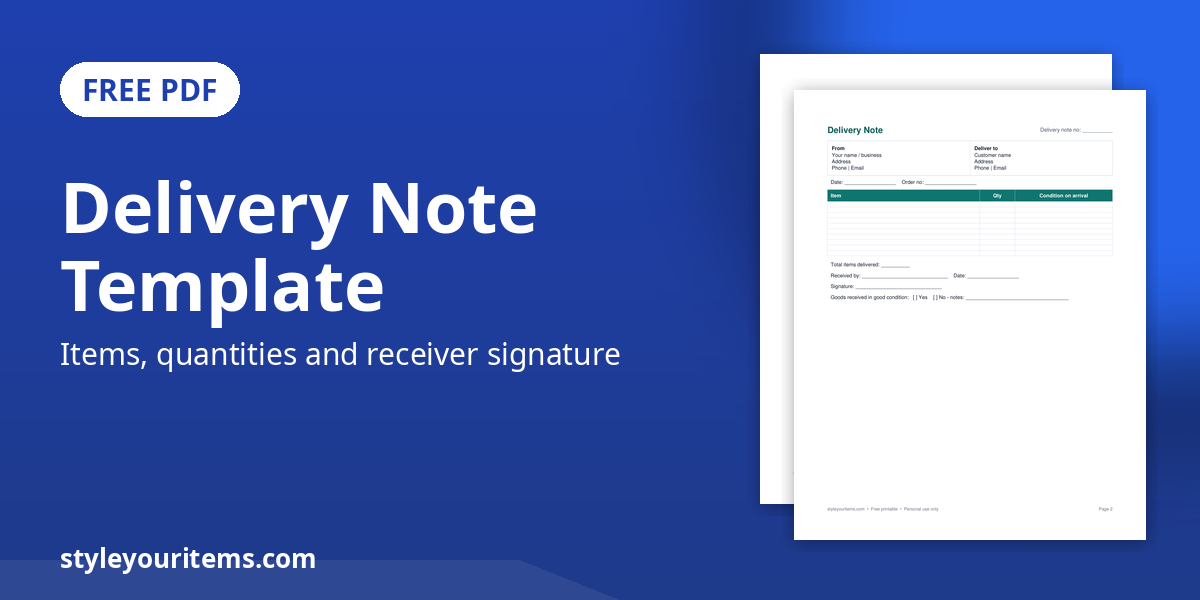
A delivery note is the piece of paper that proves the goods arrived. The invoice asks for payment, the receipt confirms payment, but the delivery note sits in between: it says what was sent, how many of each item, and who received it, in what condition, on which date. Without it, a missing box becomes an argument. With it, the argument ends in one look at the signature line. This free printable delivery note template is made for sellers, small shops and couriers who hand goods to someone and need a record of it.
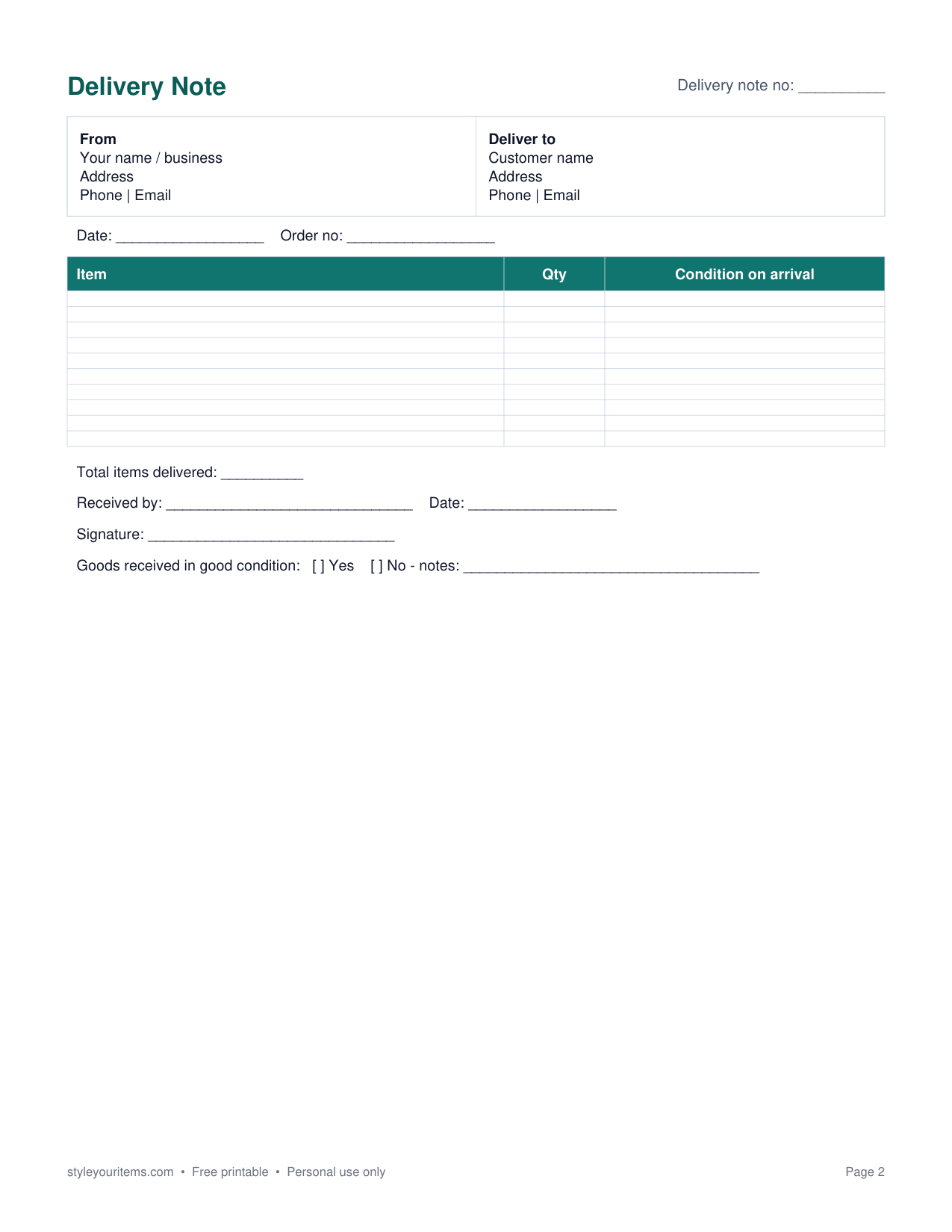
The PDF has five pages: a cover page and four delivery notes, one per delivery. Every note has a delivery note number, date and order number, From and Deliver to boxes, ten item rows with quantity and condition on arrival, a total items line, and a Received by signature with date and a goods-in-good-condition tick box. Print one note per delivery and keep a copy for yourself. There is no sign-up and no email needed, and the file prints on Letter or A4. If you also need to bill for the goods, pair it with the invoice template, which is the document that asks for the money.
What goes on each delivery note
- Delivery note number and order number. Two different numbers for two different jobs: the order number links the delivery to the sale, the delivery note number links the paper to your filing system. Number your notes in sequence (DN-1041, DN-1042, and so on) so a missing number is easy to spot.
- From and Deliver to. Your business name, address, phone and email on the left, the customer name and delivery address on the right. For a courier handover, the Deliver to box can hold the name of the person who will sign, not just the address.
- Date. The date the goods left you, not the date the order was placed. If delivery is late, this date is the one that matters.
- Item rows with quantity and condition. Ten rows per note: what the item is, how many were sent, and what condition it arrived in. The condition column is the one people skip and later regret. “Good” written at the time of delivery is worth more than a perfect memory a week later.
- Total items delivered. One number at the bottom of the list, so the receiver can count the boxes against a single figure instead of adding up the rows.
- Received by, signature, date, and the condition tick box. The receiver signs, dates it, and ticks Yes or No for goods received in good condition, with space for notes if the answer is No. That signature is the whole point of the document.
A filled-in example: a bakery delivery
Here is delivery note DN-1042 from Sunrise Bakery to the Corner Cafe, order ORD-881, dated Friday 2 October 2026. The driver counted the boxes with the cafe manager, both signed, and the bakery kept the copy.
| Item | Qty | Condition on arrival |
|---|---|---|
| White bread loaves | 40 | Good |
| Croissants | 24 | Good |
| Chocolate cakes | 12 | Good |
| Bread rolls | 30 | Good |
| Total items delivered | 106 |
Received by: Ayesha Khan, manager, Corner Cafe. Signature and date on the note, goods received in good condition ticked Yes. The cafe manager counted 106 items against the total line before signing, which took less than a minute and saved both sides any later argument about whether the twelve chocolate cakes were really there. That is the note doing its job. If the cafe later pays for this delivery, the bakery sends an invoice quoting the same order number, ORD-881, and if the cafe pays in cash, the bakery writes a receipt. Note, invoice, receipt: three papers, one order number tying them together.
Six things to change before you print
- Put your business details in the From box. The template leaves it blank on purpose. Write your business name, address, phone and email once, then photocopy the filled-in master so you do not rewrite it on every note.
- Start your numbering where your last note ended. If your last delivery note was DN-1041, the next one is DN-1042. A gap in the sequence is how you discover a missing delivery.
- Always write the order number. The order number is what connects the note to the sale, the invoice and the payment. A note without an order number is a piece of paper that proves nothing about which sale it belongs to.
- Use the condition column every time, even when everything is fine. Writing “Good” four times feels pointless until the one day something arrives damaged. Then the column is the only evidence of what the receiver actually saw.
- Print two copies, not one. One travels with the goods and stays with the receiver, one stays in your file in number order. A delivery note you cannot find is the same as a delivery note you never wrote.
- Get the signature before you leave. A note signed at the door is proof. A note signed three days later by email is a favour. If the receiver is not there, write the name of the person who did receive the goods and get them to sign.
Couriers and drivers can use the same template for every drop. A mileage log tracks the driving between drops, and the delivery note proves what was handed over at each stop. Both fit in the same folder. You can find the rest of the business set in the Career and Business collection.
Questions people ask before they print it
What is the difference between a delivery note and an invoice?
A delivery note proves goods were delivered. An invoice asks for payment. The note has no prices on it at all, which is deliberate: the receiver signs for what arrived, not for what it costs. Send the note with the goods and the invoice afterwards, quoting the same order number on both.
How many delivery notes are in the PDF?
Four, one per page after the cover. Print the file again whenever you need more. If you deliver every day, print a stack on Monday and fill in the numbers as the week goes on.
Can I use this as proof for a courier claim?
Yes, that is one of its main uses. A signed note with the condition column filled in is the evidence a courier or an insurer asks for first. Keep your copy in number order so you can find it by the delivery note number.
Do I really need a signature?
You do not legally need one for every delivery, but without it the note is only your word. The signature turns it into an agreed record. If the receiver refuses to sign, write “refused to sign” with the date and time, and keep the note anyway.
Filling In a Note Without Slowing the Delivery
A delivery note earns its keep in the thirty seconds after the boxes change hands. That is when the customer checks what arrived, the driver needs a signature, and the copy going back to the office has to make sense to someone who was not there. Fill the note in that order: what was delivered, who it belongs to, and only then the signature.
- Start with the delivery note number and the order number. Use the next number in your sequence, so DN-1042 is followed by DN-1043 and no number is used twice.
- Write the customer name and delivery address exactly as they appear on the order. A nickname on the note and a full name on the invoice will cause a mismatch later.
- List each item on its own row, with the quantity beside it. Count the boxes as you write them down, not from memory after the van has left.
- Mark the condition of each item while you can still see it. Once the boxes are inside, a damaged item becomes your word against the receiver’s, and the column is the only record you both agreed on.
- Ask for the signature last, after the customer has looked at the items. A signed note means the goods were received as listed, so the check comes before the pen.
Keep one completed note as your example. The bakery example in this template, DN-1042 from Sunrise Bakery to the Corner Cafe, order ORD-881, shows the pattern: 40 white bread loaves, 24 croissants, 12 chocolate cakes and 30 bread rolls, 106 items in total, every one marked Good, received by Ayesha Khan. Copy its layout for your first real note, and change only the names and numbers.
What Each Field Is Really For
Every box on the note has a job, and most delivery disputes come from a box left blank. The table below says what each field protects.
| Field | What it protects |
|---|---|
| Delivery note number | Matching the note to the order and invoice |
| Order number | Tying the note, the invoice and the payment to one sale |
| Date | Proving when the goods changed hands |
| Item, quantity and condition | Showing what was delivered, and in what state |
| Total items delivered | Letting the receiver count the boxes against one figure |
| Signature and date | Proof the customer received the goods as listed |
Two mistakes are worth avoiding: sending the note out with the signature box empty, which leaves you with no proof if the customer later says an item was missing, and skipping the condition column on a good day, which leaves you with no record on a bad one. A note with every field filled is a short document; a note with one field missing is a long conversation.
- Print a small stack of blank notes before a busy day, so no one waits while a fresh copy prints.
- Keep the signed copy with the order, and give the customer the second copy before you leave.
- If a customer refuses to sign, write refused to sign with the time, and tell the office the same day.