
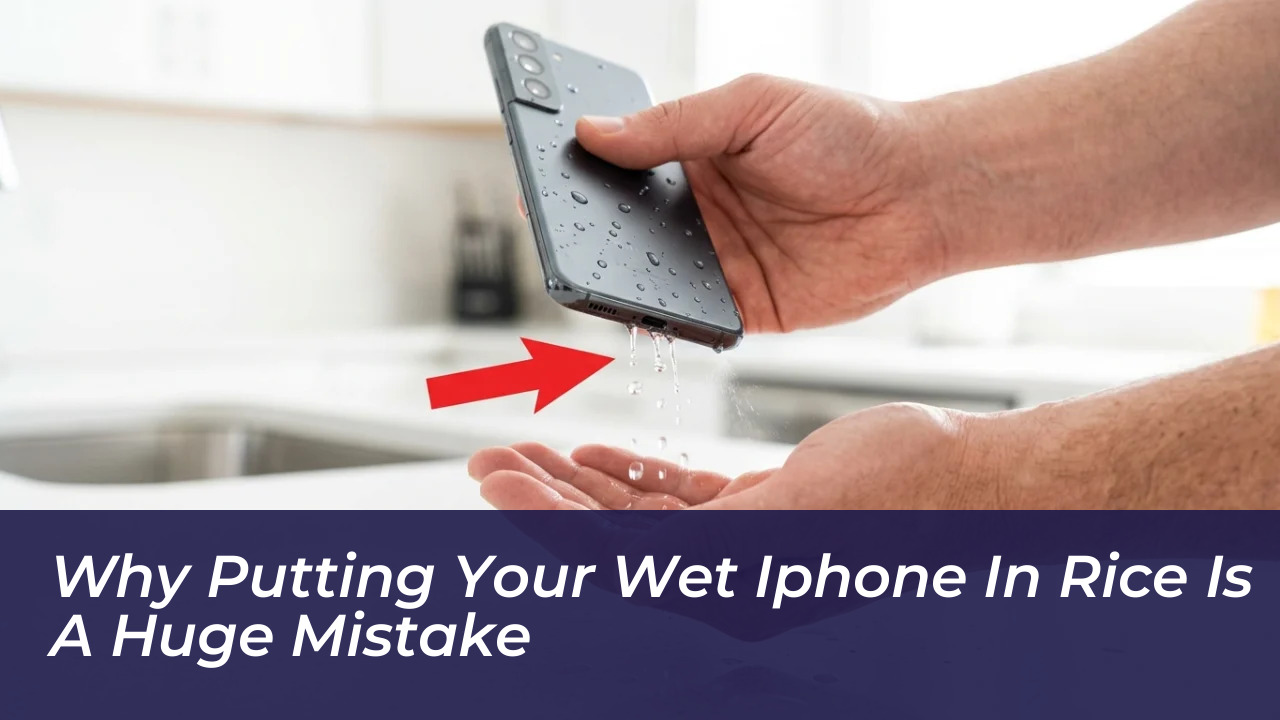

Dropping your smartphone into a sink, getting caught in a sudden downpour, or knocking it into a swimming pool happens in a split second. For years, the universal reflex has been to reach straight into the kitchen cupboard, bury the handset in a bag of uncooked rice, and hope for the best. Apple has officially confirmed that doing so is a major mistake that can permanently damage your handset.
According to an official support document published by the tech giant, submerging a wet device in grains of rice introduces microscopic starch and grain particles directly into vulnerable crevices. These fine fragments can infiltrate the charging port, speaker grills, and internal hardware, causing physical blockages and abrasive harm. Independent tests have additionally demonstrated that raw grain is surprisingly ineffective at absorbing trapped moisture compared to basic ambient airflow.
The Hidden Danger of Charging with Moisture Inside
Modern handsets running recent operating software feature an integrated moisture sensor designed to safeguard internal circuitry. When moisture settles inside the connector, a prominent Liquid Detected notification flashes on the screen, warning you to disconnect all accessories immediately. Plugging in a charging cable while dampness remains is the quickest way to destroy the phone permanently.
Apple highlights the severe risks associated with electric currents meeting lingering moisture:
If you charge your iPhone while the Lightning or USB-C connector is wet, the pins on the connector or cable can corrode and cause permanent damage or stop functioning.
Corrosion forms rapidly when electrical current flows across moist metallic pins, degrading the conductive plating beyond repair. Even if the device seems to function initially, the electrochemical reaction weakens internal connections, eventually causing complete power delivery failure.
The Official Step-by-Step Fix to Dry Your Phone
Rescuing a saturated device requires patience rather than desperate household hacks. Following the manufacturer’s certified recovery procedure ensures you clear the liquid without forcing moisture deeper into delicate electronics.
- Unplug all cables: Disconnect immediately from both the handset and the wall socket adapter to halt the flow of electrical current.
- Rinse if necessary: Rinse thoroughly with tap water if the device was splashed with liquids other than fresh water, such as fizzy drinks, tea, or sea water, to wash away corrosive sugars and minerals.
- Wipe exterior surfaces: Use a dry, soft, lint-free microfibre cloth to soak up surface water.
- Drain pooled droplets: Tap the base gently against your hand with the charging port facing downward, allowing gravity to shake out trapped liquid droplets.
- Apply ambient airflow: Place the device in a dry area with good airflow, ideally pointing a standard fan blowing cool air directly into the port to accelerate evaporation.
- Wait patiently: Allow the device to rest for at least 30 minutes before attempting to reconnect a charging lead. If the warning alert reappears upon plugging it in, liquid remains trapped inside, and a full drying cycle can take up to 24 hours.
What Should You Avoid If Your Phone Got Wet?
Well-meaning attempts to speed up the drying process frequently cause irreversible structural harm. Rushing moisture out using forceful tools risks melting delicate adhesive seals or lodging debris where it cannot be retrieved. Apple strictly cautions against two widespread practices:
- Never use external heat sources or compressed air: Hair dryers, radiant heaters, and high-pressure air canisters warp sensitive internal components and push water past water-resistant gaskets.
- Never insert foreign objects into the port: Pushing cotton buds, folded tissue paper, or toothpicks into the opening leaves loose fibres behind and risks bending tiny electrical contact pins.
Comparison of Common Phone Drying Methods
To help you choose the safest recovery path, review how popular household methods stack up against Apple’s official guidelines:
- Bag of dry rice: Harmful. Leaves dust and fine starch inside ports while failing to extract trapped internal moisture effectively.
- Hair dryer or heat source: Harmful. Warps internal parts, melts plastic components, and compromises rubber water-resistant gaskets.
- Cotton swabs or paper towels: Harmful. Snaps delicate connector pins and deposits lint particles deep inside the charging interface.
- Cool fan with ambient airflow: Safe. Gently evaporates moisture over a period ranging from 30 minutes to 24 hours without physical intrusion.
While modern smartphones carry robust IP ratings for water resistance, that protective barrier is never completely permanent and naturally degrades over time. If your handset fails to power on or recharge after sitting in a ventilated spot for a full day, the safest next step is booking an appointment through an authorized service provider or the Genius Bar.